Make your pop-ups, banners and forms accessible as you build them in Kameleoon

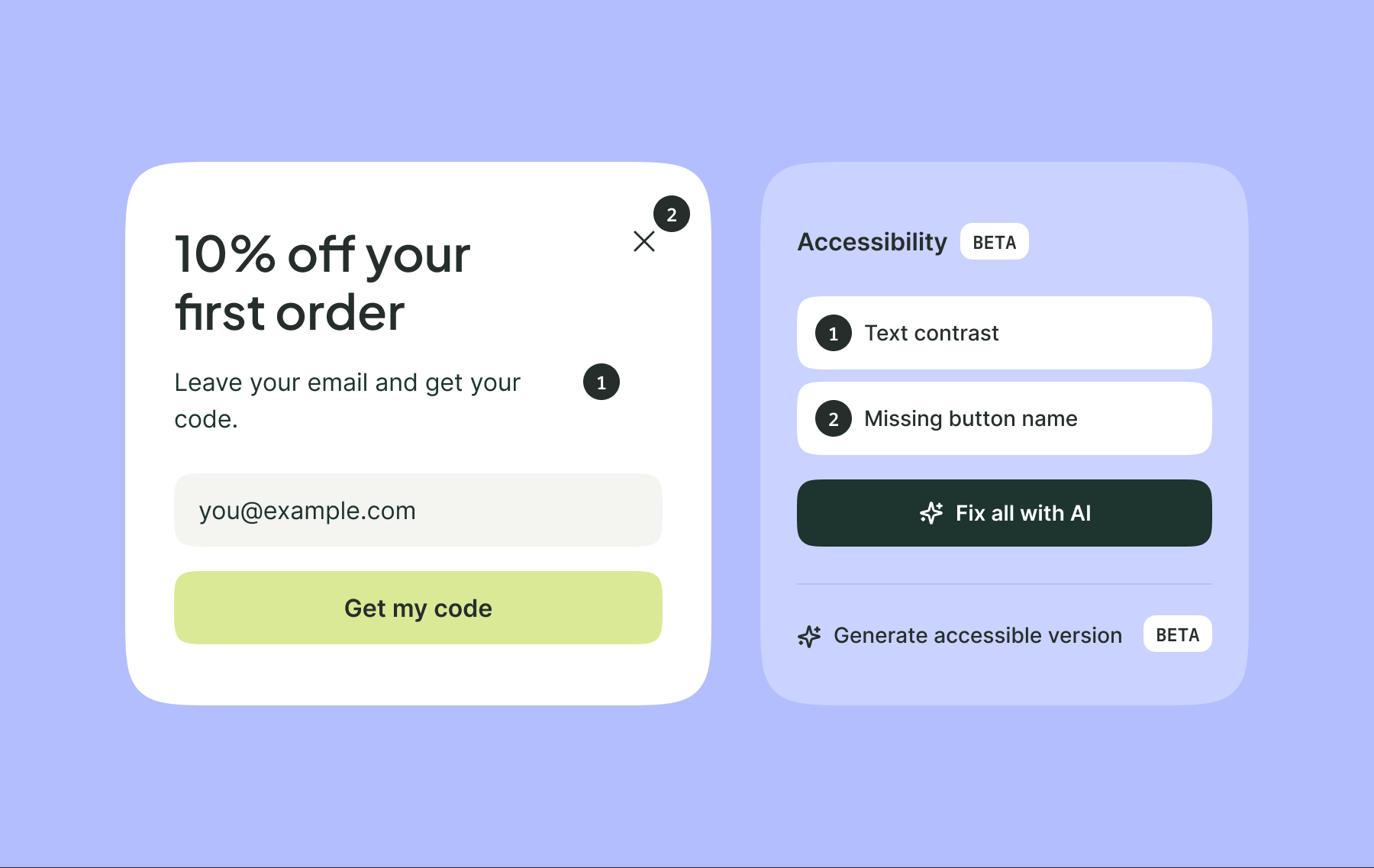
Some of your visitors use a keyboard or screen reader, and a pop-up built without them in mind often stops them in their tracks. Kameleoon now lets you catch and fix those issues before launch.
When someone lands on a site, the first thing they see is often a newsletter pop-up, promo banner, or quick survey. At Kameleoon, we call these widgets.
Not every visitor experiences widgets on your website the same way. Some move through the page with a keyboard instead of a mouse. Others use screen readers, which read the page out loud.
Kameleoon now helps you check your widgets for accessibility issues and fix them right where you build them. You can design widgets yourself in the Widget Studio, or build them by chatting with AI in Prompt-Based Experimentation (PBX).
Accessible widgets work for more of your visitors
More than 1.3 billion people, about 16% of the world’s population, live with a disability, according to the World Health Organization.
When a widget isn’t built with all groups in mind, some groups will have trouble using it. A visitor who can’t read pale discount text misses the code. A visitor whose screen reader can’t tell what a field is for won’t sign up.
Accessible design helps everyone. For example, clear contrast helps someone reading their phone in bright sunlight, and a clearly labeled field helps anyone filling it in a hurry.
These issues are easy to miss because the page looks fine to the person who built it.
Accessibility is also increasingly a legal requirement. Since June 28, 2025, the European Accessibility Act has required many companies that sell online to people in the EU to make their websites accessible.
Check your widgets against accessibility guidelines
To catch these issues, many companies follow the Web Content Accessibility Guidelines (WCAG 2.1 AA). It’s a set of checks, like making sure text stands out from its background, every form field has a label, and every button has a name.
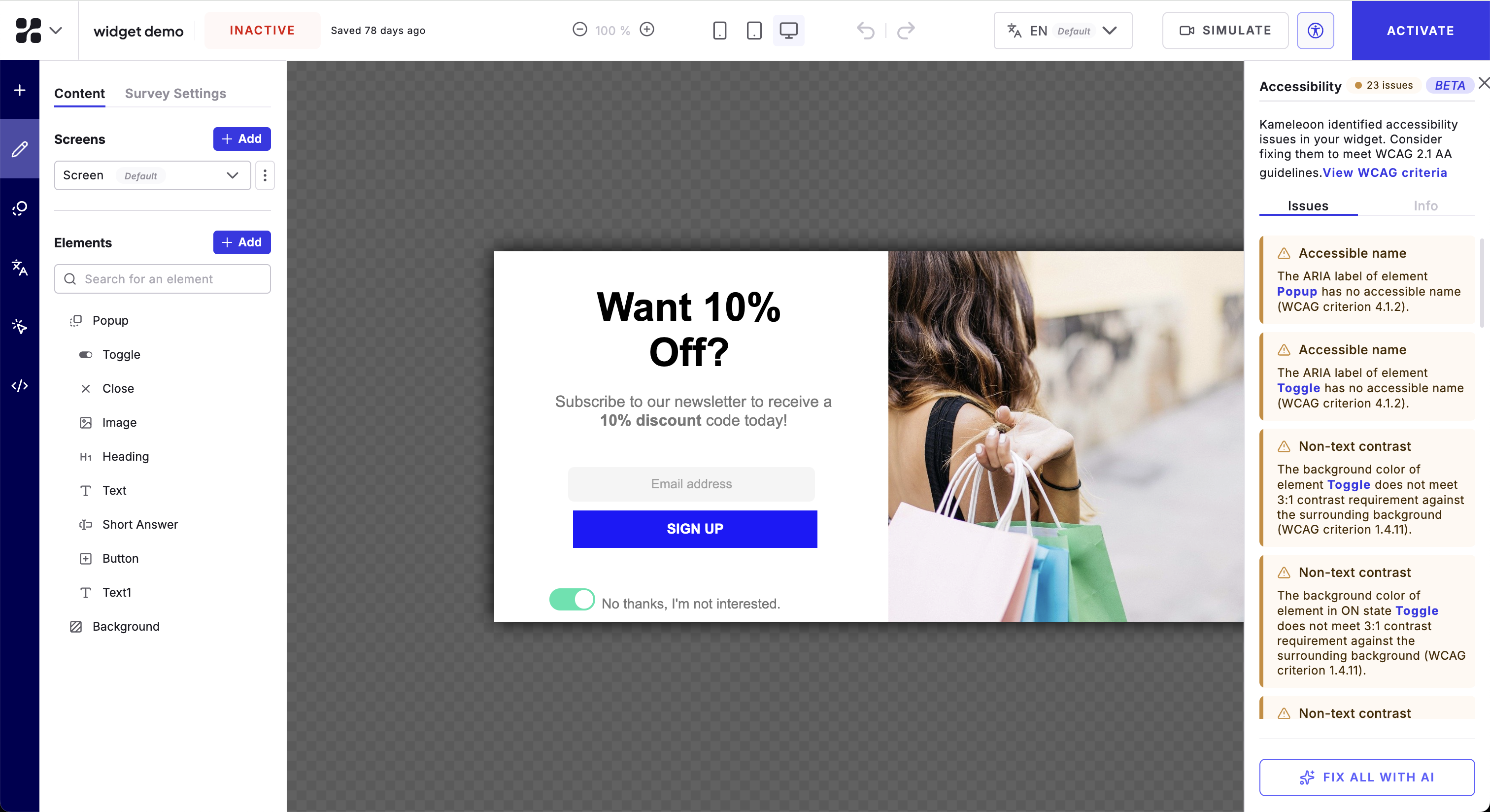
In the Widget Studio, you design widgets yourself. With PBX, you can build them by chatting with AI. Both now check your widgets against these guidelines.
Find and fix issues easily
Click the accessibility icon and Kameleoon lists the issues it finds, like pale text on a light background or a button with no name. Each issue appears next to the part of the widget it affects, so you know exactly what to change.
From there, you can:
- Fix the listed issues in one pass with Fix all with AI.
- Fix issues one by one yourself.
- Name any button or icon for screen readers, like “Close” for an X icon.
Ask PBX for an accessible version
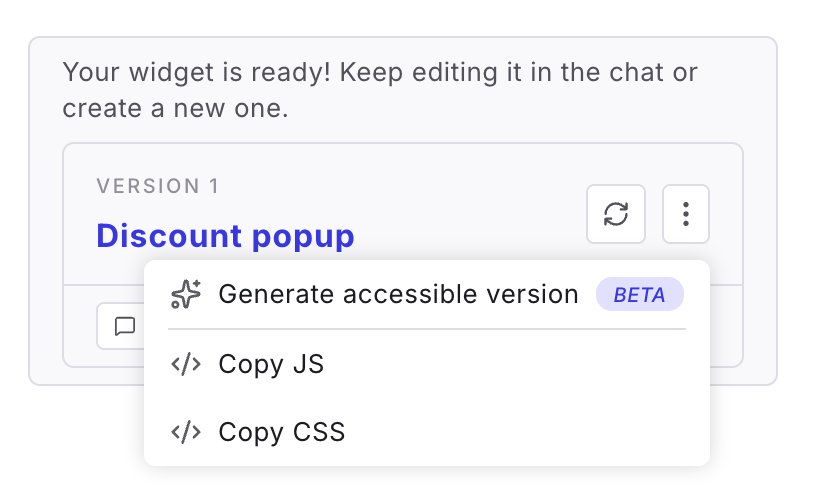
If you built your widget with PBX, choose Generate accessible version from its version menu.
PBX applies accessibility fixes to your widget and creates a new version.
Launch an accessible pop-up the day you build it
Let’s say you want a pop-up on your cart page that appears when a visitor is about to leave. It offers 10% off their first order in exchange for an email address. It has an email field, a Get my code button and a close icon.
You build it in PBX by describing what you want, then generate an accessible version. For example, PBX might:
- Darken the discount text so it’s easier to read.
- Label the email field so screen readers say what goes in it.
- Name the close icon so screen reader users know how to close the pop-up.
You review the new version and launch it in your cart page experiment. No one has to touch the code.
You decide what goes live
Accessibility fixes can change how your widget looks, like a darker color or a new label. PBX lists every change it made, so you can check the new version still fits your brand.
Nothing goes live until you decide.
Make accessibility part of how you build
Your team checks each widget while building it. More of your campaigns launch on time, and each one works for more of your visitors.
It’s another step toward our vision of Agentic Experimentation: AI handles more of the work of running experiments, and you make the decisions.
The accessibility checker is available now in the Widget Studio for all customers, and in PBX for beta users.
Ready to try it? Request a demo from our team today.