How to optimize your website’s UX


Optimizing the user experience (UX) on your website is crucial to minimize potential conversion losses. A poor-quality user experience, such as complicated navigation, unreadable content, or poorly designed functionality, can cause visitors to leave your site, negatively impacting your conversion rate. So, how can you improve your users' experience on your web pages? Read on to learn the 4 essential steps to provide a better quality user experience for your visitors.
1. Analyze your visitors’ behavior
To optimize your UX, it's essential to understand your visitors' expectations and behavior on your site. By having a good understanding of your audience, you can identify friction points. Behavioral analysis tools like Contentsquare provide necessary data from various interfaces (website, web app, or application) to define your personas' typical behavior and create a user-centered interface.
- Analyze visitors' behavior toward site elements, considering metrics like:
- Click-through rate (percentage of visitors clicking on an element).
- Dwell time (time between the last hover over an element and clicking on it).
- Revenue per click (ranking elements by their contribution to site revenue).
Contentsquare, with its “per zone” data, goes beyond conventional heatmaps, allowing you to understand why visitors behave the way they do and analyze all touchpoints and customer journey stages.
Analyzing your visitors' behavior is an essential step to identify the right areas for improvement based on concrete data.
—Pierre Casanova
Chief Revenue Officer, Contentsquare

Identify your customers' paths on your site, understand navigation steps, and find out when users leave your site or add products to their cart.
Not all visitors have the same behavior, and you need to know the paths that are most taken on your site to be able to optimize them later. The goal is to design a simple and intuitive user interface.
—Pierre Casanova
Chief Revenue Officer, Contentsquare
2. Define your goals and optimization strategies
To make meaningful optimizations, set a final goal to organize your experimentation roadmap. Prioritize "quick wins" by focusing on simple optimizations, bug fixes, and improvements that can boost your conversion rate. Move on to high-potential optimizations identified through behavioral analysis.
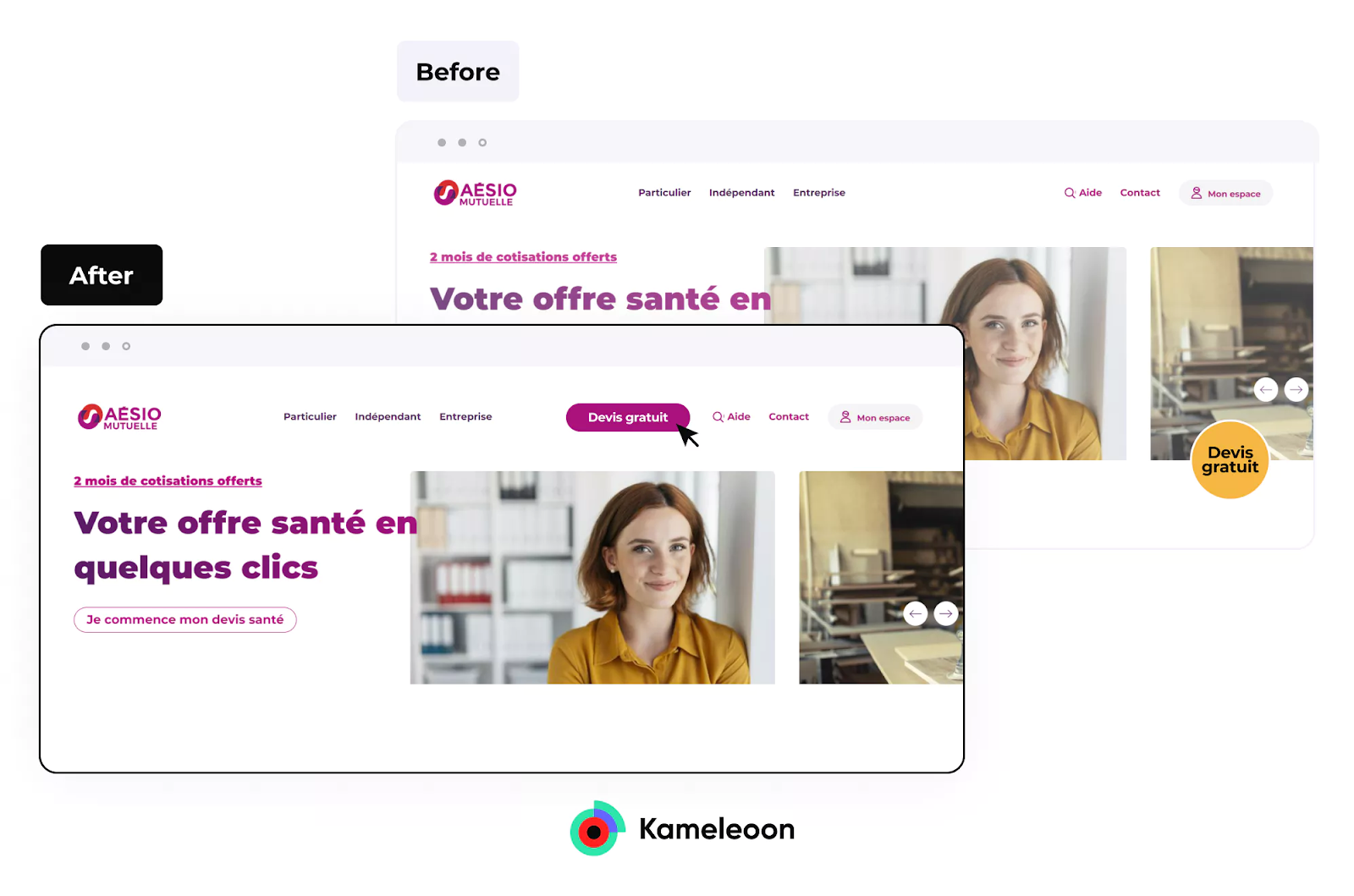
Optimize the overall conversion funnel, relying on visitor behavior analysis and A/B testing. Conduct a thorough analysis of each site element and make modifications individually.
3. A/B test to validate hypotheses
A/B testing is essential in the UX optimization process, helping you choose the best version of a site element based on specific metrics. Test one or more versions of an element and choose the one with better performance before permanently integrating it into your site.
An insight only has value if it can transform into actions, so it is important that your CDP, such as Contentsquare, integrates with your experimentation platform, ie. Kameleoon, to validate the hypotheses generated through insights on our platform.
—Pierre Casanova
Chief Revenue Officer, Contentsquare
For example, Dacia tested three graphic design variations for its homepage, with Variation C showing a 116% increase in click-through rate compared to Variation A. In this case, A/B testing allowed for objective decision-making based on quantifiable data.

4. Personalize visitor experiences
Personalization is key to providing a unique and tailored experience for each visitor. Personalize your site elements to quickly address visitors' specific expectations and needs, increasing the likelihood of conversion. Cdiscount, for instance, customizes its homepage based on visitors' interests, offering a more personalized experience.

FAQ
What is UX?
UX (User Experience) is the quality of a visitor's experience interacting with your digital (website, mobile app, web application) or physical (store, object, service) product. A good UX allows frictionless, smooth, and intuitive product use, enabling visitors or customers to easily accomplish their desired actions.
What’s the difference between UX and UI?
UI (User Interface) refers to the graphical aspect of all elements a visitor can interact with on a site (CTAs, menu, slider). UX involves practices to make interactions easier and more intuitive with site elements, designed by a UX designer.
When to optimize site UX?
The UX of a site can always be improved. Continuous optimization ensures the best possible experience for visitors, considering factors like seasonality, weather, trends, and fluctuating user expectations. Various improvements, including technical, ergonomic, graphical, visual, utility-related, and security enhancements, can be undertaken. Personalizing the experience based on user profiles is encouraged.
Peter Morville’s 7 qualities for a quality site UX:
- Useful: The site must meet visitors' needs.
- Easy to use: The site should be user-friendly.
- Desirable: The site's appearance should encourage further navigation.
- Intuitive: The site should help visitors easily find what they seek.
- Accessible: The site should be user-friendly, even for people with disabilities.
- Credible: The site should be credible and support the messages being conveyed.
- Exceptional: The site should add value to visitors and represent the brand positively.
These elements serve as targets for improvement, keeping the ultimate goal in mind: offering the best experience to visitors.
To understand more about UX and A/B testing check out our conversion optimization checklist.