What is the flicker effect in A/B testing?


A/B testing performance is an important strategy to improve user experience and boost revenue on your site.
When you run an A/B test, however, you have to ensure the data you receive from it is clean and usable. One thing that can hurt your testing performance and corrupt data is the flicker effect.
The flicker effect, also known as Flash of Original Content (FOOC), affects the experience of your visitors and your A/B testing data.
What is the flicker effect?
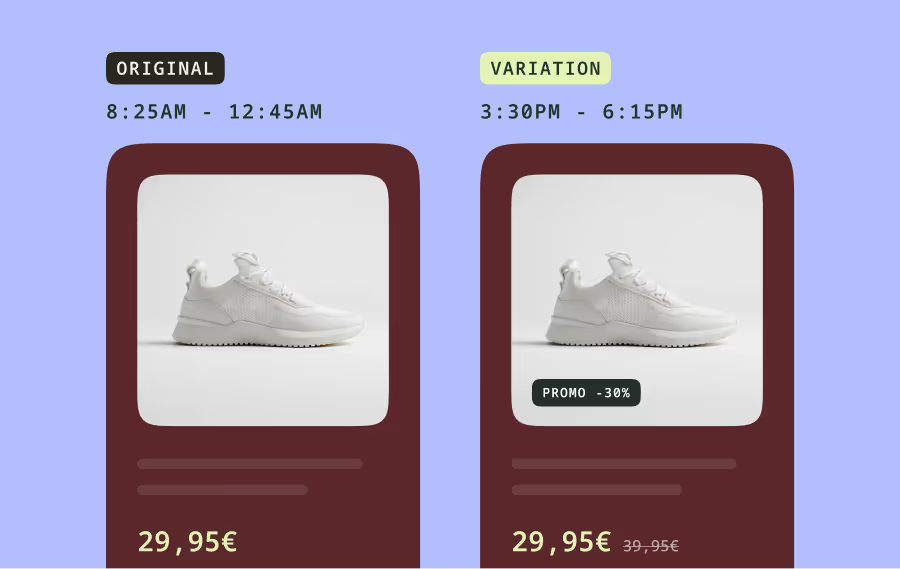
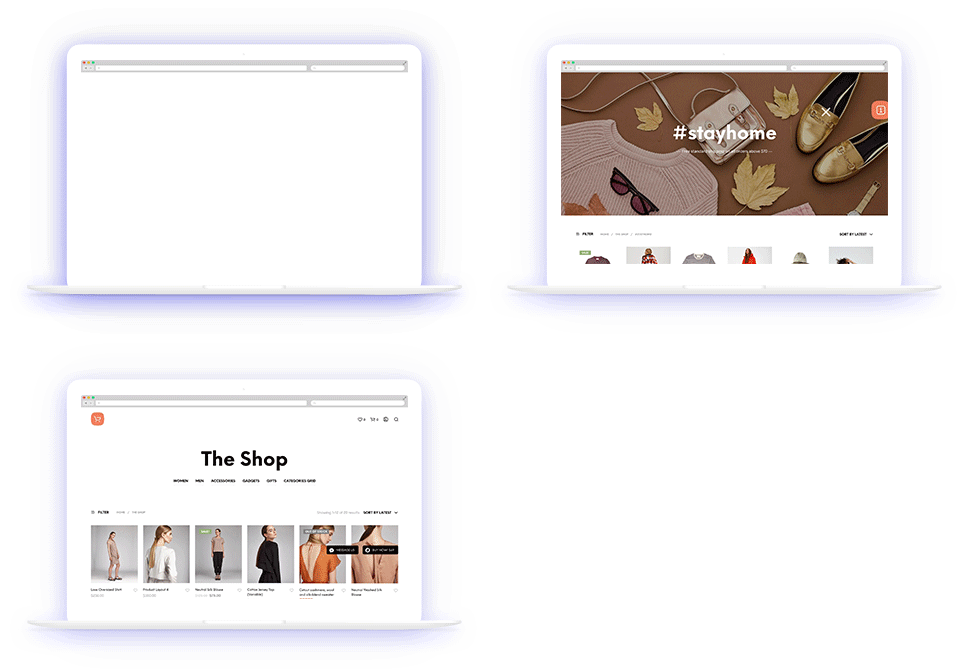
The flicker effect occurs when the original page appears for a second before the new variation is shown in an A/B test. Your visitors see a flash of your control page before the variation loads for them.
Why is flickering a big deal?
In 2014, a group of MIT scientists found that it takes the human brain only 13 milliseconds to process images. Even if your flicker only lasts one second—1,000 milliseconds— that's much more than enough time for your visitors to notice.
The flicker effect impacts the user experience of your visitors and the results of your test. Some users may leave the site while the response of those who stay may be influenced by the experience.
This is because of the Hawthorne Effect: people behave differently when they know they’re being watched. Tracy Laranjo, a Fractional CRO Strategist and Analyst, notes that:
Flickering, especially when it exposes users to bold visual differences between both the control and variant(s) of a test, makes it challenging to isolate the effects of specific changes and accurately assess the user’s behaviors. This mixing of data makes it difficult to draw meaningful conclusions from the A/B test as the variant’s true impact on performance metrics has been compromised. As a result, decision-makers may be misled by the data and make suboptimal choices that harm bottom-line performance. You may even end up with results that tell a completely different story vs. if the flicker was prevented in the first place!
What causes flickering in A/B tests?
There are three reasons why visitors may be experiencing the flicker effect on your website:
1. How your A/B testing tool script is installed
The position of your testing script on a page can cause flickering. When your script is at the bottom of the page, it will only be rendered after the other scripts above it have been loaded. Your entire page will have loaded before the testing script renders which will cause your users to experience the flicker effect.
Another way installing your A/B testing tool script can cause the flicker effect is indirect installation via a tag manager.
While tag managers make it easier to handle installation, they may cause flickering as they load scripts asynchronously. When a visitor goes to your website, all the scripts on your site will load all at once. Some scripts will load faster than others. If your testing script doesn’t load first, your visitors will see a content flicker when it does.
Kameleoon negates all these problems by having one of the fastest code snippets on the market that is 100% flicker free.
2. Types of A/B testing script
A/B testing tools offer scripts that either load synchronously or asynchronously. The type of script your tool offers can cause flickering.
When your A/B testing script loads synchronously, nothing else loads on the web page until the testing script has been executed. Your server treats the experiment script’s instruction as primary; it will be rendered first before any other elements on your web page.
Synchronous A/B testing scripts do prevent flickering, but they also block elements positioned after them from loading until they do. This can lead to the page temporarily being blank, which is also an issue.
Asynchronous testing scripts load at the same time as the other elements on your web page. This allows them to load fast and prevents the blank page as different elements on the page appear. But asynchronous scripts are prone to flickering.
A big issue with asynchronous loading is that there is no guarantee that your testing script will be executed before other page elements. These elements that may be part of your A/B test may be rendered before your testing script.
After your testing script loads, the elements already on the page will flicker as they are replaced by the variant versions.
Whether your A/B testing tool offers asynchronous loading or asynchronous scripts, your visitors may experience content flickers during your experiments.
3. The technology used by your A/B testing tool provider
The technology used by your A/B testing software provider could cause flickering when you run experiments. When you use an A/B testing tool, it provides a script that you install at the top of your page. If that script is large, it can cause flickering when it loads your tests as it will take time to fully render.
Some A/B testing tools may automatically include tests that have ended or tests that you are still working on in their script. This considerably increases the size of the script and leads to flickering as other elements are loaded before it.
The way the testing software implements your modifications may contribute to the size of the script. Some tools add unnecessary lines of code to achieve your modifications especially if you’re using a visual editor. You may not realize there are additional lines of unnecessary code that are adding to the size of the script.
The impact of the flicker effect on A/B testing
The flicker effect impacts the user experience for your visitors.
When a visitor lands on a page on your site and is bucketed into an experiment, it can be jarring for them to see your control before the variation loads. Your visitor may think there is a problem with the page they’re viewing and leave.
Say you’re running an experiment where you’re removing the “add to cart” button and replacing it with a “buy now” button on your product pages. When a visitor, who is bucketed into your new variation group, lands on this page and sees the control before the variation loads.
Another drawback of flickering is that it generates the impression that the site performance is slow. That is why it's very important to ensure that the rendering is not actually delayed for more than a few milliseconds.
—Ivan Trajchev
CRO Lead at Sofatutor GmbH
It can be disconcerting for your visitors as they saw something different before the variation loaded. They may leave the site or keep refreshing the page, thinking that something is wrong.
The flicker effect can hurt your conversion rate when you implement changes based on deceptive data.
The inconsistency caused by flickering can lead to a decrease in user engagement, such as reduced click-through rates, longer page load times, or increased bounce rates. These factors can subsequently impact conversion rates and make it difficult to determine the true effect of the variant on user behavior, and even put the variant at a disadvantage.
—Tracy Laranjo
Fractional CRO Strategist and Analyst
While visitors may leave after seeing a flicker, not all of them do. Some visitors may still go on to browse your site, make purchases and leave. The data for these visitors is included when you end your experiment. But you have no way of knowing if experiencing the flicker effect affected their behavior on your site.
Your A/B testing data is meant to help you make decisions that will boost your revenue. The risk of making decisions and implementing changes based on tainted data from visitors experiencing FOOC is high. You may implement changes that do not increase your conversions or changes that lower your conversions below your baseline.
How to minimize the flicker effect
While flickering occurs for a second, it greatly impacts your testing program and business. Fixing it is important to your bottom line. Here are ways to minimize the flicker effect:
Install the A/B testing script properly
- Directly install the code snippet from your A/B testing tool into the header of your site. Do not use a tag manager as it will cause content flickering.
- Install the script from your A/B testing tool inside the <head> element of the pages on your website. This will ensure that the script is loaded first.
- Reduce the size of the code snippet by removing any inactive tests. This is important if your testing solution automatically adds this to your script.
- Synchronous loading is generally a good option if your provider has a high (>99.99%) SLA. At Kameleoon, we've created our own asynchronous blocking integration with anti-flicker technology to combine the best of both worlds.
Switch to server-side A/B testing
The flicker effect is a client-side A/B testing problem, so switching to server-side testing tool removes this problem entirely. As Laranjo puts it:
Implement server-side testing to ensure a seamless transition between the control and variant.
In server-side testing, the server picks the correct page, whether the control or variant, and serves it directly to your user. This removes the need to use a JavaScript snippet and eliminates the flicker effect in its entirety.
The main drawback to server-side testing is it lowers agility and flexibility for non-developer teams to experiment. This is why Kameleoon's anti-flicker approach offers the best of both worlds: asynchronous anti-flickering that works on all experiments, server-side and client-side.
Click here to learn more about Kameleoon's asynchronous anti-flicker technology!
Use style sheets
Use style sheets to make graphic changes in your variants. It is much easier to modify an aspect of an element on a page instead of using JavaScript to change the style of the element. This helps you save space in the tool snippet.
Depending on the tool, this is done for you automatically so you do not need to worry. In Kameleoon, for example, you can design whatever you need without worrying about the performance of your test snippet as Kameleoon does this automatically for you.
Optimize the code in your A/B tests
Depending on the tool, you may need to optimize the code it outputs when you use its “What You See Is What You Get” (WYSIWYG) editor.
Some testing solutions add unnecessary JavaScript instructions to achieve the changes you want to test. Toggle over to the code editor to review and optimize the code before you launch your experiment. You may need to pull technical resources to edit the code if you are not a developer and are not familiar with JavaScript.
Alternatively, you can use A/B testing tools that mitigate this. In Kameleoon, for example, you can create your variations in the graphic editor without worry. Kameleon uses an engine to apply modifications to a page, rather than JavaScript. No need to learn how to code or rope in your technical team.
Modify the setinterval on your page
The setInterval is used to change the targeted elements as quickly as possible. The idea is to test different values to find the ideal parameter that makes the flicker effect disappear without overly increasing the CPU your A/B testing solution uses.
Kameleoon’s solution eliminates the need for setInterval as modifications are applied to a given element as soon as it is injected into the page’s DOM.
The Kameleoon platform is 100% flicker-free
To enhance user experience and ensure accurate results for our customers, we made a commitment to ensure that Kameleoon’s solution is 100% flicker-free. To achieve this, we developed our “anti-flicker snippet.”
Our snippet behaves in a similar way to the synchronous snippets, which block webpage content until it's fully loaded, resulting in a brief blank page display. However, our solution offers a few key advantages over synchronous snippets.
Our anti-flicker snippet leverages a "blocking CSS rule" that initially hides the entire page's content. Once Kameleoon’s application code loads, typically within an average of 50 milliseconds, this rule is swiftly removed and the web page displays. In case of any delays, sometimes due to a bad network connection, a configurable timeout is included.
If the specified time elapses and Kameleoon’s application file hasn't loaded, the CSS rule is removed to prevent an indefinite blank page scenario.
This approach ensures that Kameleoon never disrupts a website under any circumstances. The timeout acts as a safeguard, limiting how long the installation tag can "block" the display of your site while waiting for the application file.
In the event of a timeout, how Kameleoon behaves can be configured in one of two ways. Users have the option to disable the solution entirely, meaning no experiments will be applied to that specific visitor if a timeout occurs. Alternatively, you override this and choose to run the code normally. However, with this option, you may run the risk of flickering due to the delayed execution.
Understanding how anti-flicker snippets work is essential for delivering a good user experience. By understanding how your A/B testing tool handles anti-flickering and implementing it correctly, you can enhance user experience and ensure accurate results.
Best practices for reducing the flicker effect
One of the best ways to avoid the flicker effect is to choose the right A/B testing solution. The right testing solution for your business works to remove the flicker effect right from its script before it makes it to your site.
Use the right A/B testing tool—some A/B testing tools have a better loading time of their code snippets than others. So, make sure to do some research and pick the right A/B testing tool for your business.
—Ivan Trajchev
CRO Lead at Sofatutor GmbH
Since you may already be using an A/B testing tool software, here are some best practices to implement to minimize the flicker effect during your A/B tests:
- Avoid using a tag manager to implement the testing snippet. If you’re not confident installing it yourself, ask a developer or another technical member of your team for help.
- Make sure to install the snippet at the top of the page of your site.
- Optimize the pages you plan to test on - cache pages and compress images. Increasing its speed will make loading your testing snippet fast.
- Cross-check the changes you made in the WYSIWYG editor in the code editor. This ensures that the A/B testing solution is not injecting unnecessary JavaScript instructions to achieve the changes you want to test.
Want to learn more about Kameleoon's flicker-free platform? Contact us here.