What we learned from 1,000 prompt-based experiments


Most people assume that creating A/B tests means writing code, relying on developers, or wrestling with visual editors. With prompt-based experimentation (PBX), this is no longer true. Prompt-based experimentation lets anyone run A/B tests by simply describing the changes they want in plain language. No code required.
In June, Kameleoon launched Prompt-based Experimentation (PBX) in beta to select cohorts. Within a month, those teams created 10 times more experiments with PBX than in the first half of the year. We analyzed the first 1,000 experiments—here's what we learned.
TL;DR:
- Clear, specific prompts drive results.
- Visual layout changes outperform simple copy tweaks.
- Urgency and trust signals must be contextually relevant.
- Prompt clearly, avoid vague requests.
- Iterate often: good prompting gets better with practice.
- Prompt-based experiments reduced test creation time by 97% and increased test velocity by 10x, with payback in less than 3 months.
Benefits of PBX: by the numbers:
Based on a survey run from April to July 15, 2025, across 48 different websites using more than 1,000 prompt-based experiments, we observed:
- 97% reduction in the time required to create tests.
- 10x increase in test velocity.
- <3 months average payback period.
These results are calculated assuming an average of 3 tests per month, with a typical development time of 3 full-time equivalent (FTE) days per test.
Why prompting matters for experimentation
Good prompts turn AI into an expert designer and developer, while bad prompts lead to confusion and ineffective experiments. PBX unlocks experimentation for teams without coding skills, but only if their prompts are clear and structured.
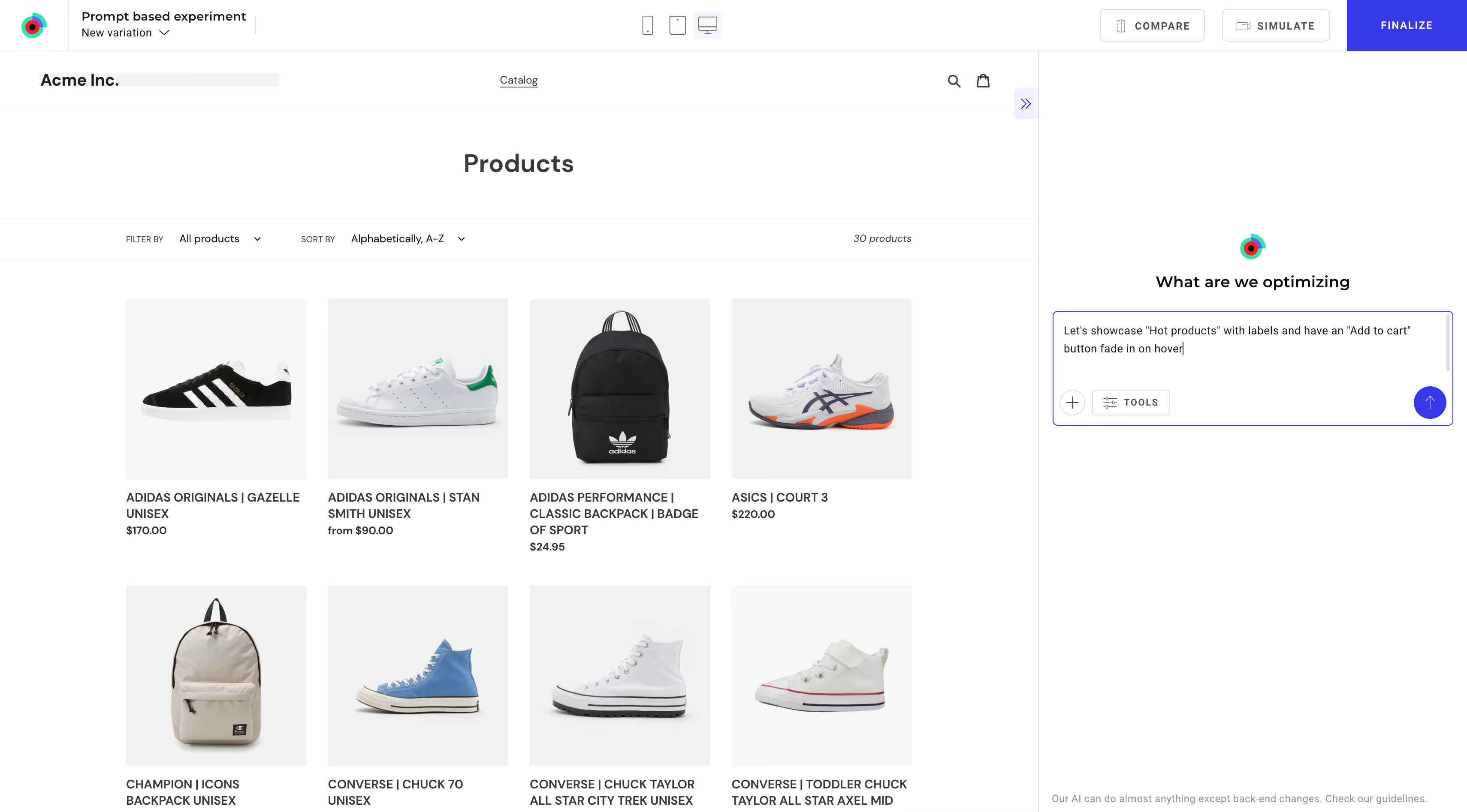
Best practices: How to write effective PBX tests
Effective prompting is crucial for successful experiments. Here’s how to write clear, powerful prompts:
1. Specify exactly what and where
- Clearly identify the exact elements or areas you want to change.
- Example: “Make the Add-to-Cart button sticky at the bottom of the mobile page.”
2. Include visual details
- Describe visual attributes such as color, size, and position explicitly.
- Example: “Use bright blue (#0000FF) for the primary button.”
3. One prompt, one task
- Break down complex changes into simple, distinct prompts.
- Example: Start with “Move product reviews next to price,” then add another prompt for styling.
4. Provide context and intent
- Clearly state the goal or intent behind the requested changes.
- Example: “Highlight the limited stock number to create genuine urgency.”
5. Iterate based on results
- Use initial prompt results to refine further prompts.
- Example: If “Make CTA bigger” isn’t clear or doesn’t provide the desired result, prompt next with “Increase CTA button size by 20%.”
Five do’s and don’t’s for effective prompting
1. Be clear and specific
- Describe exactly what to change and where the change should be.
- Example: “Make the Add-to-Cart button sticky on mobile.”
2. Experiment on your layout
- Structural changes (moving elements, adjusting placement) often outperform text edits.
- Example: “Place product reviews directly under the price.”
3. Make urgency genuine
- Use real context like limited stock or sale deadlines.
- Example: “Show 'Only 2 left in stock' for products with fewer than five items remaining.”
4. Reinforce trust clearly
- Visually display reassuring information to boost user confidence.
- Example: “Add a 'Free Returns for 30 days' icon under the checkout button.”
5. Prompt incrementally
- Start small, iterate, and build complexity.
- Example: Begin with “Add whitespace around the pricing table” before requesting extensive layout adjustments.
Common prompting mistakes
- Vagueness: Avoid prompts like “Make it nicer” or “Improve design.” Always provide explicit instructions.
- Stacking requests: Don’t bundle unrelated tasks into one prompt. Break them up clearly.
- Artificial urgency: Avoid using urgency without a genuine reason. Unfounded urgency can backfire.
- Technical complexity: Do not prompt backend logic or server-side actions. Stick to visual and front-end tests.
Real prompt examples that worked
“Change CTA button color to light blue (#75e6ff) to make it stand out.”
“Reorder products to show most relevant by default.”
“Add a new table to the left sidebar that shows popular articles.”
“Make hero headline one concise sentence.”
“Build a popup that appears to visitors when they leave this product page to show three relevant products”
“Create a site banner using product images to tell customers they can buy 1 get 1 50% off.”
“Reduce copy by 50%"
“Insert secure checkout badges under payment form.”
“Rewrite the plan description to highlight subscription benefits more prominently.”
“Add category dropdown above product grid.”
“Reorder filter options by popularity.”
“Display star ratings prominently under product titles.”
Prompting checklist:
- Clearly describe the change (what & where).
- Start simple, then iterate.
- Use visual layout and structural improvements.
- Ground urgency in real conditions.
- Show trust signals clearly.
- Keep prompts short, precise, and actionable.
Iteration is your superpower
Prompt-based experimentation isn’t just about making tests easier. It's about experimenting faster and learning continuously. Clear, thoughtful prompting helps you iterate quickly, driving real results for your team.
Ready to experiment?
Join the teams already discovering faster insights through prompt-based experimentation. Start simple, learn quickly, and iterate often.
Based on analysis of 1,000 experiments from April to July 21, 2025 using Kameleoon PBX (Prompt-based Experimentation).
.jpg)