The 12 Kameleoon days of Christmas: part 2


Welcome back to our 12 days of Christmas series of tips, showing how the Kameleoon platform makes experimentation and personalization simple and seamless. These powerful features are designed to make your working life easier, letting you focus on creating and running tests and personalizations that benefit the bottom line.
Yesterday we covered tracking changes on a page, which is particularly useful for organizations with lots of teams. Today we’re going to highlight our traffic reallocation option.
1 Reallocating traffic in case of issues
As with other experimentation platforms Kameleoon allows brands to either manually allocate traffic or to use AI to dynamically allocate traffic based on each variant’s performance during runtime, based on Multi-armed bandit algorithms.
For both methods, a traffic repartition reconfiguration is only applied to new visitors. This is because we want visitors previously bucketed into an experiment to keep seeing the same variation throughout the test, because doing otherwise could result in the same visitor seeing several variations of a given experiment, destroying the integrity of the results data.

However, there are some situations where you may want to explicitly reallocate traffic for every visitor no matter the variant they have been bucketed in at the beginning of the experiment.
There are two use cases where this makes sense:
- Removing variants that are (for example) impacting performance or the wider user experience. So you want every visitor (new or returning) to be randomly bucketed in one of the remaining variants.
- You want to start with low traffic at the beginning of a test by having a population excluded from seeing your experiment. For instance, let's say you have an experiment running with two variants. You want to progressively release this experiment by targeting 20% of your traffic. Instead of setting 90% on the original and 10% on the variant (which will make your analysis complex as you won't have the same amount of traffic per variant), you keep 80% of your traffic excluded by using our "Traffic excluded" feature.
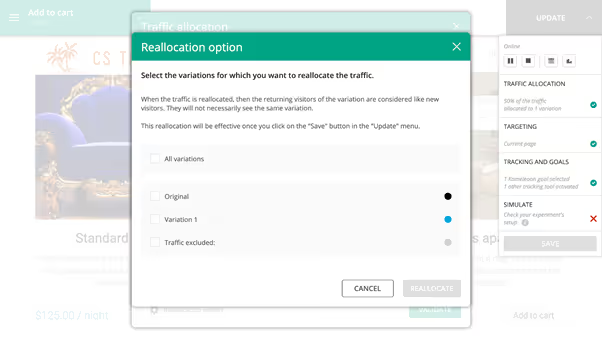
This is where our Reallocation option makes complete sense. It allows you to treat returning visitors who have seen a variant as completely new visitors, meaning they will be bucketed in a new, different variant. Essentially the option acts as a ‘kill switch’ for variants (including excluded traffic which is considered as a variant) that need to be removed from an experiment, without stopping the test from continuing.
Find out more about the traffic reallocation feature in our technical documentation
Download a guide to all 12 features by clicking on the banner or check out individual blogs through the listing below
,
Read more in the series here:
- Day 1: Visualization of modified/tracked elements on a page
- Day 2: Reallocating traffic in case of issues
- Day 3: Simulation mode: visit and visitor generator
- Day 4: Click tracking: automatically send events to analytics tools such as Google Analytics
- Day 5: Adding a global code to an experiment
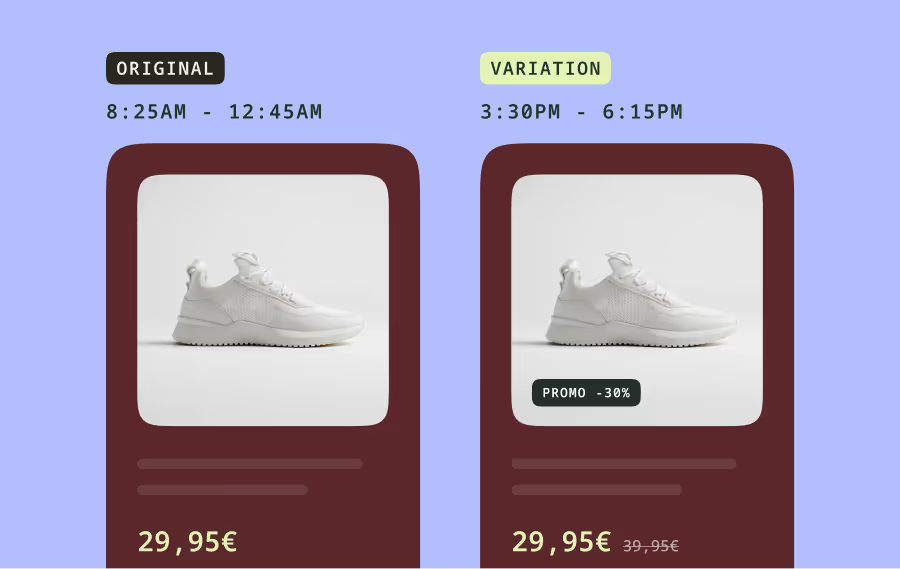
- Day 6: Excluding time periods from results
- Day 7: Measuring confidence stability
- Day 8: Switching to custom views
- Day 9: Using custom data for cross-device reconciliation
- Day 10: Personalization campaign management
- Day 11: Adding CSS selectors
- Day 12: Changing hover mode