[Product Release] Introducing: Kameleoon code editor for developers

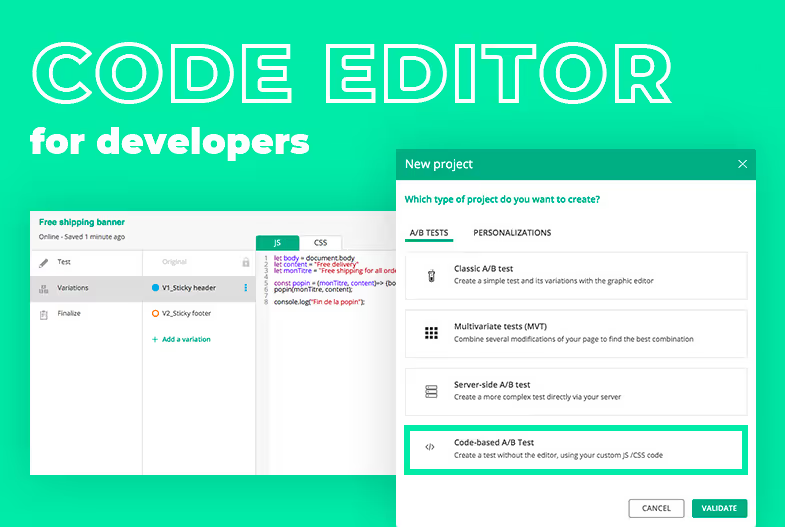
With Kameleoon code editor for developers, we have introduced new capabilities that make it even easier and faster to create and deploy experiments using our client-side A/B testing technology.
Kameleoon’s initial approach to A/B testing was to create a client-side solution. This provided marketers and product owners with greater control and flexibility when deploying new experiments onto their websites. Without writing a single line of code, a marketer with no technical skills could set up and instantly deploy new experiments by using our best-in-class graphical editor.
Two years ago, we also introduced the Kameleoon full stack platform. This enables our customers to undertake deeper client-side A/B testing, by using server-side capabilities to build and run advanced experiments both on the web and apps. Server-side experimentation requires a one-time SDK installation, and usually involves back-end developers and a code release whenever you want to run a new experiment.
Today, we are excited to announce the release of Kameleoon code editor, a new set of capabilities designed for developers.
1 Kameleoon code editor : create and deploy new experiments
One of the problems with building advanced experiments (which require JavaScript or CSS) with a graphical editor, is that the user experience is not tailored specifically to developers. Essentially the user interface has not been optimized to code experiments but rather to make fast graphical modifications (around images, color or wording) on a page.
Secondly, server-side testing requires strong organization and having the right set of processes in place, such as being able to release new code on a regular basis, in order to retain the necessary agility to scale an experimentation program.
Kameleoon’s code editor has been built to overcome these two key concerns. We have designed a set of capabilities specifically built for developers to make it very easy to create and deploy new experiments, without having to use a graphical editor.
Because our new code-based editor is a direct extension of our Client-Side A/B testing solution, a developer can do pretty much anything they want (without using a graphical editor). They can create an experiment, add as many variants as needed, push JavaScript and CSS to each of them or even write a piece of JS code, global to the experiment, and push this code automatically to each variant while adapting what’s needed inside each variant.
2 How does Kameleoon code editor work?
Create experiment
When you create a new experiment, you can now use the tool to build a 100% code-based experiment.

Experiments built with the Kameleoon code editor are automatically flagged with a “developer” tag so that developers can search solely for code-based experiments in the dashboard.
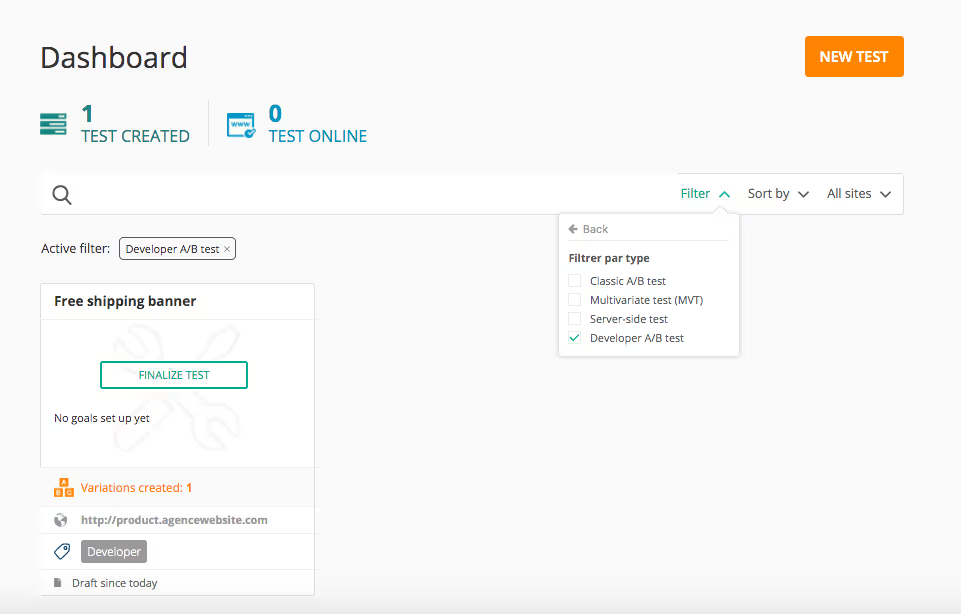
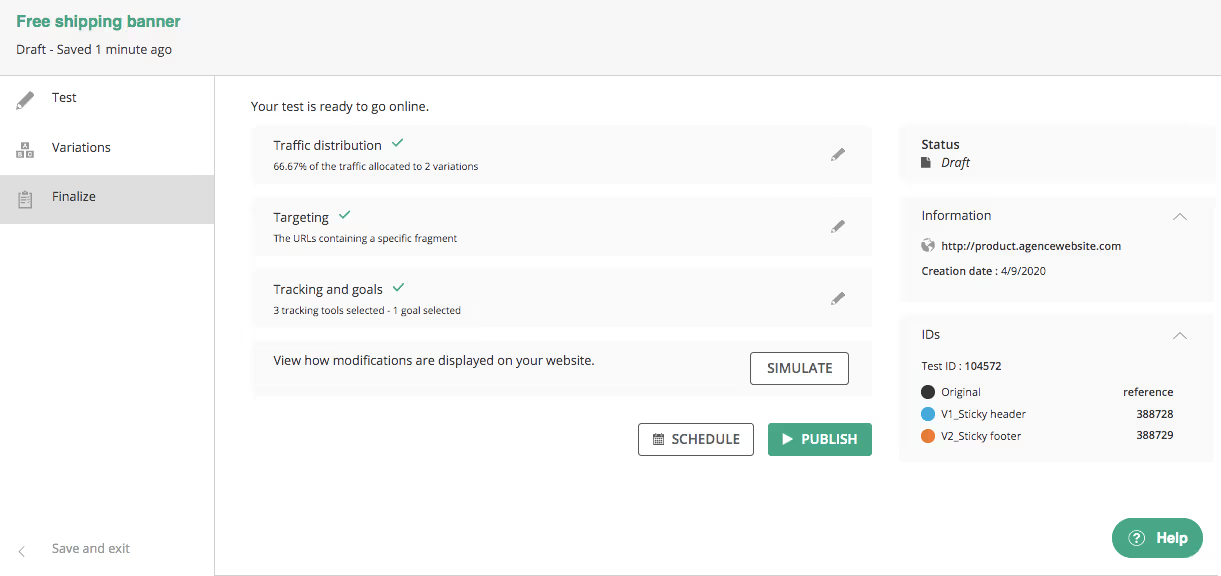
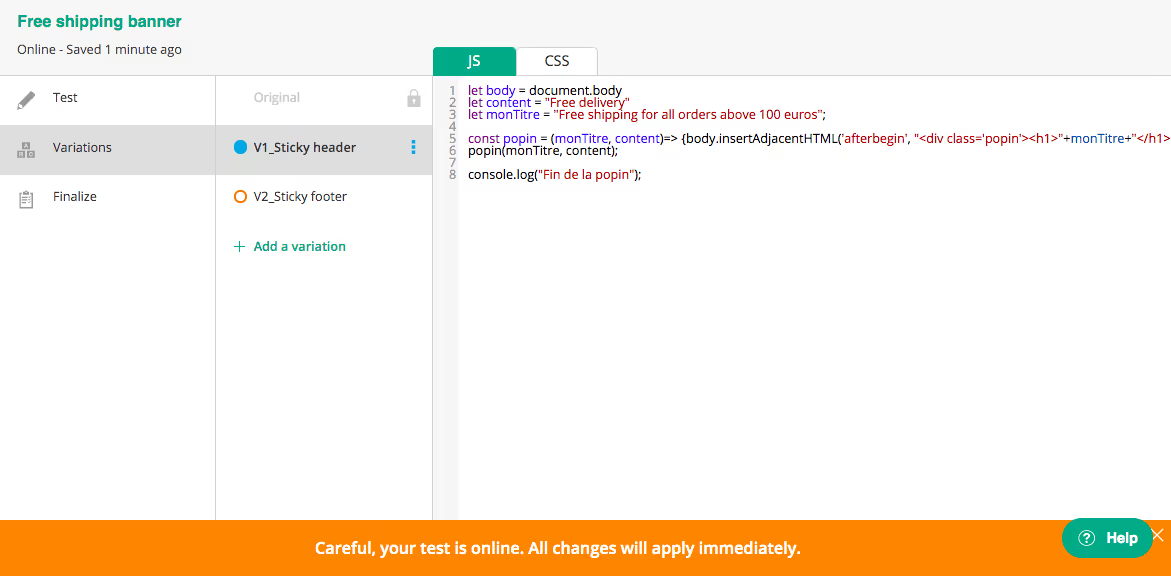
Three tabs are available on the left-hand menu of the code editor: Test, Variants and Finalize. Each of these provides a powerful set of features:
- Test: allows a developer to push JavaScript or CSS code that is global to the experiment and to manage its general parameters.
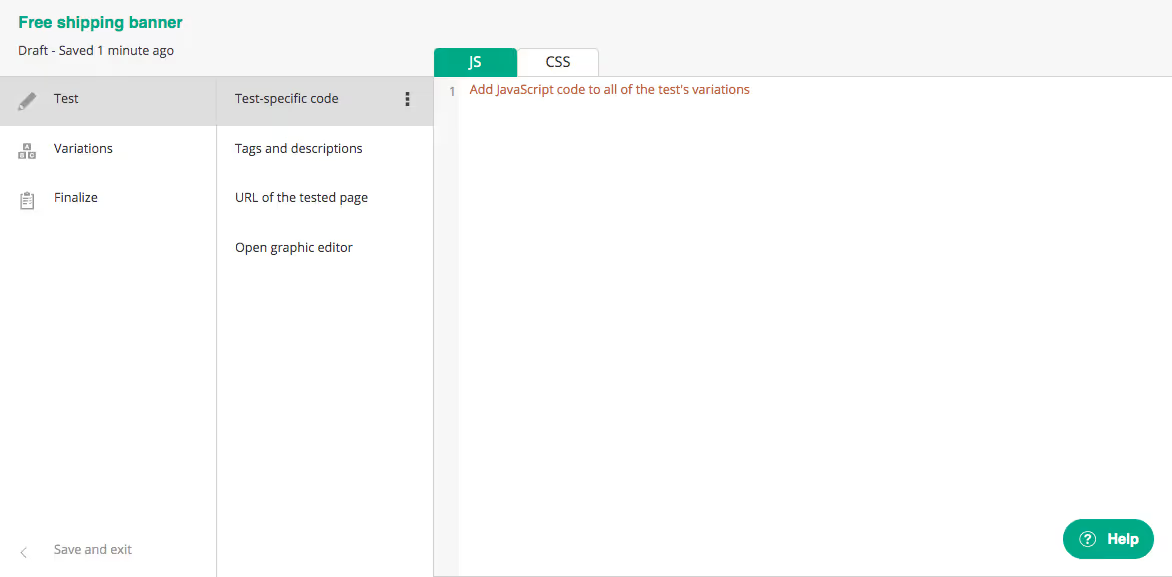
- Variant: where developers code the required behavior for each variant. You can push CSS and JavaScript or create a redirect URL experiment.
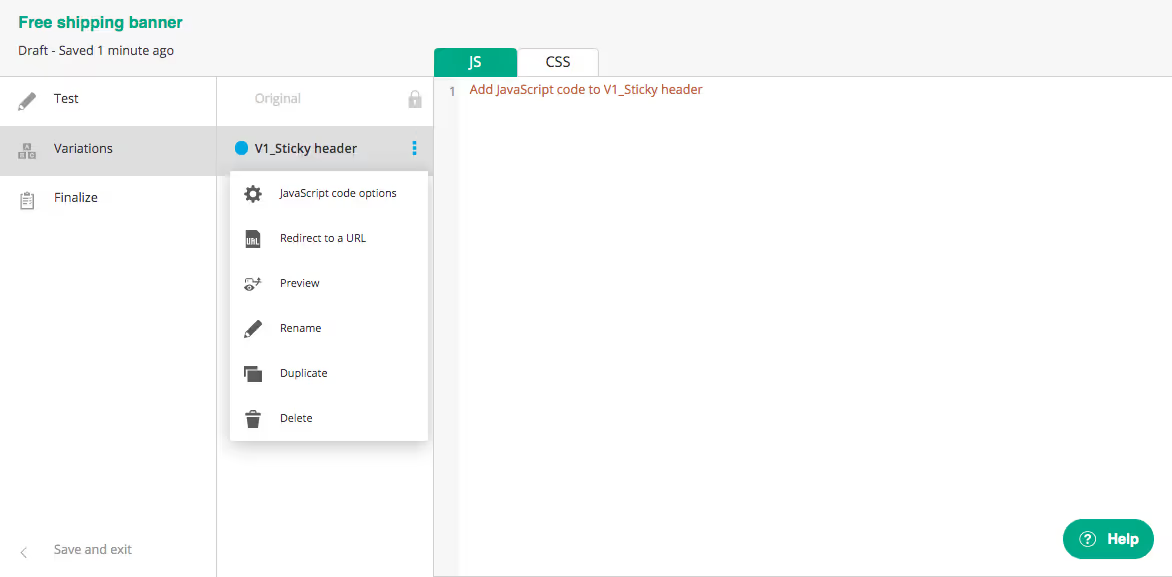
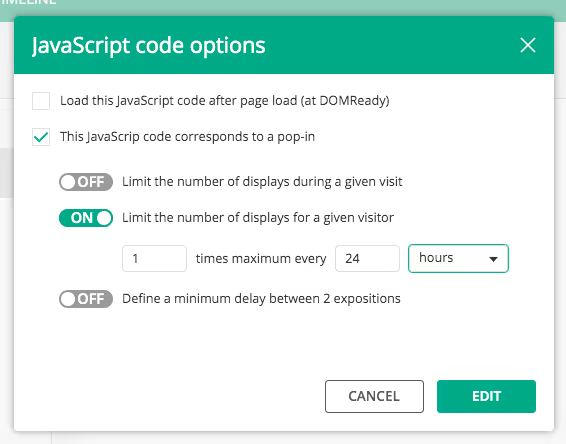
This section also includes features to easily implement capping options:
- Finalize: select traffic distribution, build targeting and set the goals that matter most to you (or associate the targeting tools of your choice), and then simulate your experiment. This section provides everything to define the whole scope of your experiment.
Update experiment
Once an experiment is live and you want to update it, you can use the Kameleoon code editor to do this:
Graphic editor is still available !
And for developers who love using our graphic editor, it is still available and can be accessed from the Kameleoon code editor.

In conclusion, the Kameleoon code editor helps overcome the challenges developers face in creating and launching experiments, by enabling them to deploy A/B tests more quickly and safely through a dedicated interface. It also makes updating experiments easier as you no longer need to go through a graphical editor to push code.
A year ago, we wrote an article explaining how to link Kameleoon with Github. With the launch of the Kameleoon code editor, it now makes even more sense to implement this bridge. Learn how to do it here.