How to prompt an experimentation tool

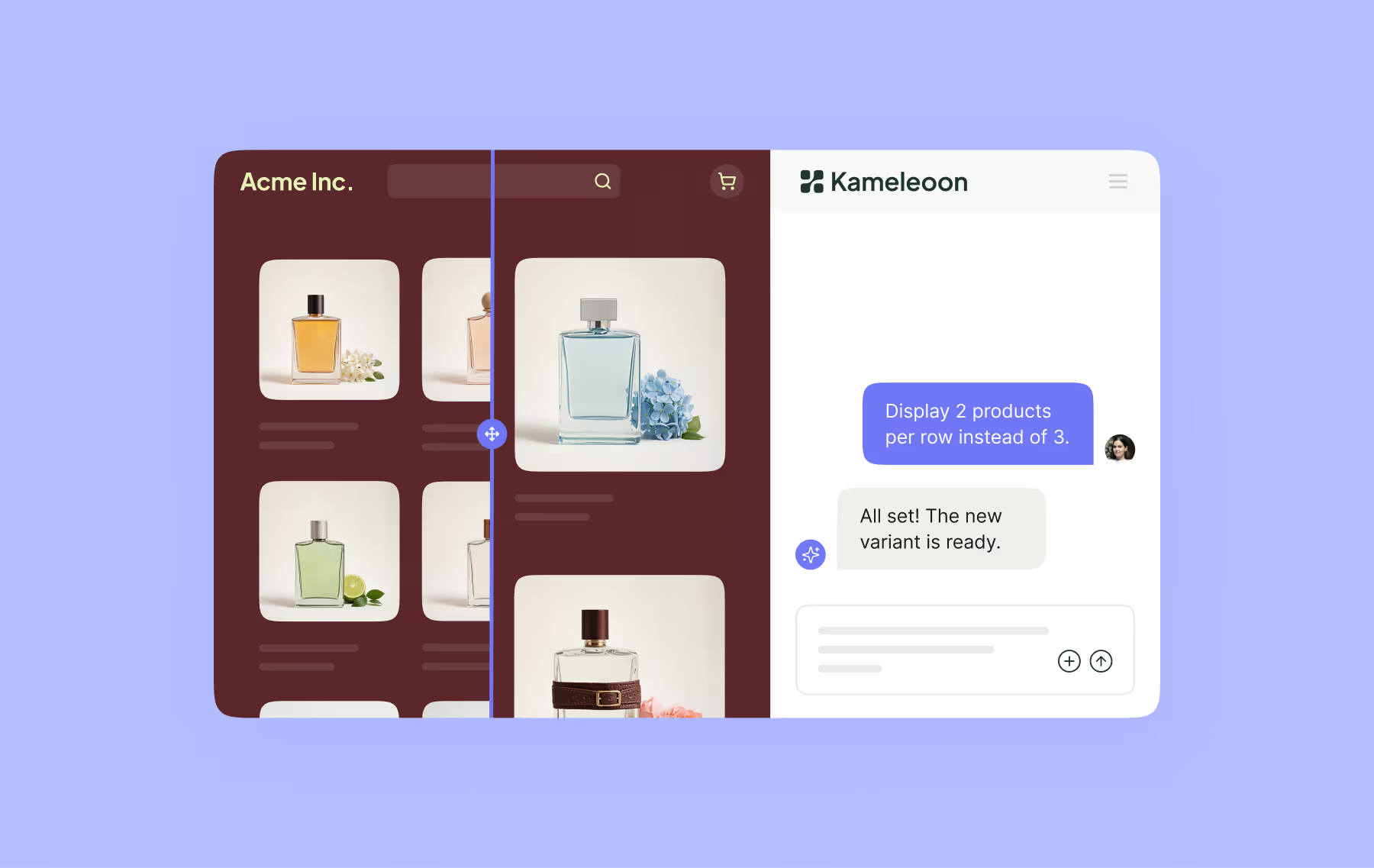
Building a digital experiment traditionally meant using a code editor, graphic editor, or widget studio. Since 2025, prompt editors have become an increasingly effective tool for building A/B tests, personalizations, and variations.
If you are new to prompting an experimentation tool, the goal is simple: describe a change you want to see clearly enough for the tool to build a usable variation with clear, precise prompts.
In this guide, we’ll explore what that means and how you can use AI prompting to build a solid first variation in as few iterations as possible.
Favor ideas over design wishes
A valid test requires a specific methodology. You need a hypothesis grounded in research, sufficient traffic, and the right setup. AI prompting speeds up the process of building and launching the test, but the rigor remains the same.
Most bad prompts sound like “make this page better.” They involve no targets, user problems, or definitions for success.
Most good prompts, on the other hand, start with simple hypotheses. What friction are you trying to reduce? Which users are you trying to help, and what actions do you want them to take?
Before you write anything, answer these three questions:
- What is the user struggling to notice, understand, or do?
- What page should change, and which specific element should change?
- What outcome or KPI should improve?
The answers to these questions will inform your prompt; if you can’t answer them, your idea needs further clarification.
Often, the difference between a weak prompt and a strong one is visual detail. “Make this CTA more effective” won’t get you very far; “add a white delivery truck icon next to the free shipping text with the icon matching the text height” gives the tool much more to work on.
In practice, that means using language like “replace the paragraph with three bullet points” and “add 24px spacing between the headline and the bullets.” Specificity matters.
Use four-part prompts to get better results faster
The easiest way to write a strong prompt is to break it into four parts:
- Define the change. Say exactly what you want to transform on the page.
- Specify visual and layout changes. If possible, name the element. Describe the size, color, hierarchy, position, spacing, and style. The more details the tool has, the better!
- Explain the behavior. Tell the tool what should happen on click, hover, scroll, expand, collapse, or page load.
- Set boundaries. Also tell the tool what should stay the same, such as mobile behavior, brand constraints, legal copy, or elements that should not move, change, or break.
This structure keeps your prompts focused and makes it easier to avoid asking for too much at once.
Use a repeatable prompt template
When teams are new to prompt-based builders, starting from a repeatable template can be very helpful.
{{blue-block-2}}
A practical example looks like this:
- Goal: increase clicks on the primary CTA from visitors on the pricing page.
- Target element: the hero section above the fold.
- Change: reduce the paragraph to one sentence and add three short benefit bullets under the headline. Make the primary CTA button a darker blue for stronger contrast.
- Behavior: keep the current CTA destination and hover state.
- Boundaries: do not change the header, navigation, or page layout on mobile. Keep the existing brand font and button shape.
- Success metric: clicks on the primary CTA.
This is strong enough for a first pass.
Remember: one prompt should mean one meaningful change. Asking for too many things at once will slow down the process. Build quality usually improves when the AI focuses on one problem at a time.
If you want to test three ideas, you should ideally prepare three prompts to get the best results.
Treat AI like a teammate and remember: it’s not a mind-reader
As with all AI, prompt-based experimentation tools are fast and powerful, but are only as effective as the direction you give them.
Waiting for an AI to guess your intent is not going to get you very far. Instead, brief it clearly the first time, the same way you would a designer or developer helping you build the variant.
In other words, give the AI context: what problem are you trying to solve? What parts of the page matter and which don’t? What needs to change and what has to stay the same? AI doesn’t mind reading a long brief, so take the time to make it clear and the result will be fewer repair cycles.
Bonus: use visuals when words don’t hit the mark
When making a spatial, compositional, or brand-sensitive change, a sketch, mockup, or Figma draft can be faster and clearer than another paragraph of description. It’s common to know what you want to do visually and struggle to describe it.
For structured redesigns or local page edits, a sketch or mockup can be much handier than a lengthy descriptive essay.
Understand what your tool does well
Experimentation tools process prompts best when changes are front-end and visible. That means you should prioritize:
- Content changes
- Hierarchy changes
- Layout shifts
- Styling changes
- Trust and clarity elements
- Adjustments to existing front-end states
And avoid:
- Changing business logic
- Dynamic pricing logic
- User-state logic that depends on backend data
And be mindful of flows hidden inside hidden or restricted components that your tool cannot readily access.
Guardrails are just as important with AI
Remember: you can’t skip guardrails just because your goal is to move fast!
Good prompting should always include proper goals, targeting, traffic allocation, QA, and review. Trustworthy experiments are worth far more than fast variations, so you cannot skip the rigor.
Similarly, it’s not worth it to chase the perfect prompt. Write a strong first brief, review the output, and then fix the biggest mismatch with a second prompt. In most cases, one good prompt and one useful refinement are enough to get you to a strong first variation.
Otherwise, you might find yourself submitting ten prompts per variation, constantly refining and not “quite” getting there.
Three prompts a beginner can try today
{{blue-block-1}}
The best prompt is a clear prompt
A long prompt may look impressive; a short prompt may look easy; but the best prompt you can use to build a variation is a clear one.
Start with the problem, ask for one meaningful change, and be precise about the ideal outcome. Set boundaries, and preview your result. Refine if needed, and launch a real test with real measurement.
This is how you can build better variations faster, how prompting becomes a disciplined experimentation practice, and how teams become truly agile in collecting user data.
{{cta-block}}

Prompt example for an e-commerce product page
Goal: increase add-to-cart clicks on this product page.
Target element: the area directly below the product title and price.
Change: add a short three-bullet reassurance block covering shipping, returns, and payment security. Use small icons next to each bullet. Keep the visual style consistent with the current product page.
Behavior: do not change the add-to-cart button behavior or layout.
Boundaries: keep the page width, image gallery, and mobile stacking unchanged.
Success metric: clicks on add to cart.
Prompt example for a SaaS pricing page
Goal: increase clicks on the primary CTA from new visitors.
Target element: the hero and pricing summary area above the fold.
Change: shorten the supporting copy, add three concise value bullets, and place a customer logo strip below the CTA. Increase contrast on the CTA button without changing its shape.
Behavior: keep all current links and hover states.
Boundaries: do not alter pricing values, plan names, or legal copy. Keep the current mobile order.
Success metric: clicks on the primary CTA.
Prompt example for a lead generation landing page
Goal: improve form completion rate.
Target element: the form section and surrounding content.
Change: move the strongest proof point above the form, reduce the form intro text to one sentence, and add a short privacy reassurance line under the submit button.
Behavior: keep the current form fields and validation behavior.
Boundaries: do not add new fields or change the CRM connection. Keep brand colors and typography.
Success metric: completed form submissions.
Each of these prompts do the same important things: name the goal, specify the page area, and note the exact change, limits, and metrics involved.
Prompt template
- Goal: What outcome should improve?
- Audience: Who is this for, if anyone specific?
- Target element: Which part of the page should change?
- Change: What should the new version look like?
- Behavior: How should this change respond to user action?
- Boundaries: What must stay unchanged?
- Success metric: What should you measure?
Want to try prompt-based experimentation on your own site? Start your free trial of Kameleoon’s PBX today.
Want to try prompt-based experimentation on your own site? Start your free trial of Kameleoon’s PBX today.
